

Late fees, default cases, repayment plans and disputes
What happens when someone falls behind: how late fees are worked out and waived, how cases and repayment plans run, and how to decide a claim.
When someone falls behind, SocietyLedger gives you three tools and one firm rule. The tools are late fees, default cases with repayment plans, and a way to decide a claim that someone did pay. The rule is that nothing is ever taken from other members or from a guarantor, and nobody is removed automatically.
All three live on the circle's Arrears and cases tab.
Before you start
- You need the manage permission. Closing a case asks for your password.
- Late fees only exist if the circle's rules have one. See Rules, grace and late fees.
Open the page
Go to Thrift Circles, open the circle, and choose the Arrears and cases tab. It has three tabs of its own: Late fees, Claims of "I paid" and Default cases.
Late fees
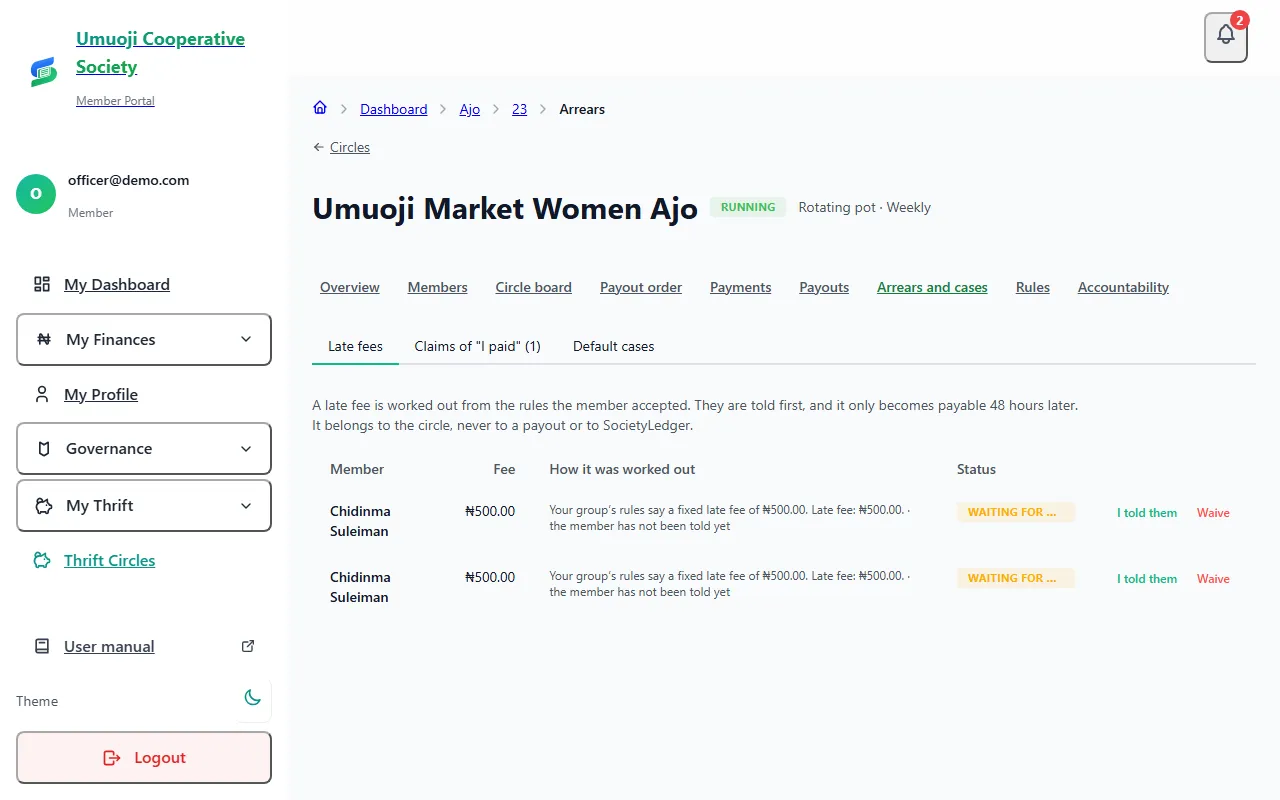
A late fee is worked out once for each missed payment, the day after the grace period ends, and only if the circle's rules have a fee. In a pot where each person pays ₦5,000.00 a week with a fixed fee of ₦500.00 and 3 grace days, someone who has still not paid three days after the due date gets one ₦500.00 fee for that round. Two missed rounds is two fees.
- The rules the member accepted decide. The fee comes from the version of the rules the member accepted that was in force on the due date. If they never accepted a version, there is no fee.
- They are told first. The fee becomes payable only 48 hours after the member has been told, and only if no query is open about that payment.
- Someone who cannot be reached. A member with no login and no way of being messaged stays "waiting" until an officer records that they were told. Select I told them, write how you told them (for example "told in person at the market on Saturday"), and record it. The 48 hours then begin.
- The fee belongs to the circle. It is never part of a payout and never SocietyLedger's.
- How it is paid. When the member pays, the money clears their instalments first, then any payable fees, oldest first. The fee is shown as a separate part of the payment.
Waive a fee
Select Waive, write a reason, and select Waive the fee. The member is told. A waiver is undone only by a recorded step: select Undo waiver and write why. Every waiver and undo is on the accountability page.
Claims that someone paid
A member who believes their payment is not shown can raise a claim, and the officer decides it. See Raising a query about a payment for the member's side.
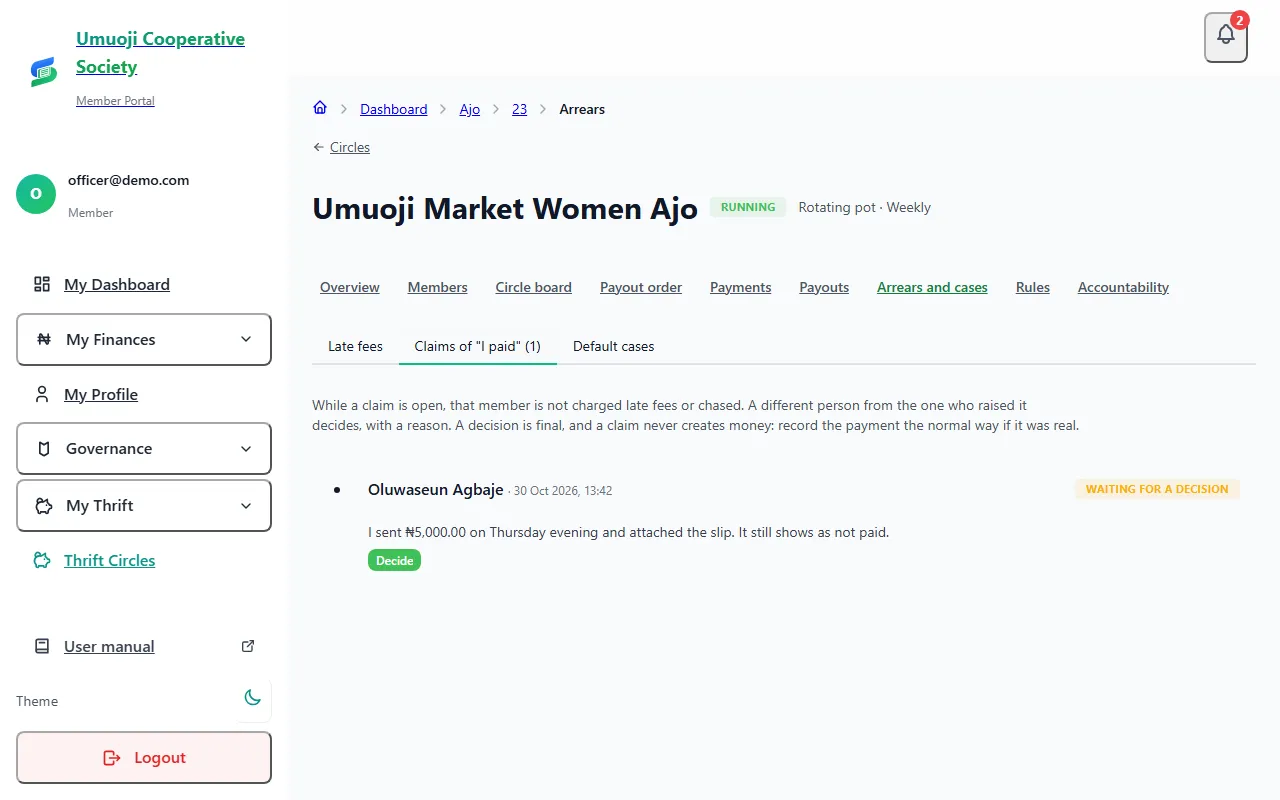
Two rules apply. The person who raised a claim cannot decide it, so an officer who raised one for someone with no login needs another officer to decide. And a decision is never changed: if something was missed, the member can raise it again.
A claim does not add any money. Accepting it records that you agree the member paid. You then confirm the payment or record it, as you would any other. While a claim is open, the round shows as Under review, and no late fee, reminder or default case is raised for that member over it.
Default cases and repayment plans
A default case is for one specific situation: a member of a rotating pot who has already been paid and then falls behind past the grace period. Everyone else in the pot is still paying for them, so the circle needs a record and a way forward. It does not apply to collector thrift, where each saver's money is their own.
What happens automatically depends on the rule the member accepted for this:
- Tell the admins. The admins are told, and nothing else happens.
- Offer the member a repayment plan. A plan is drawn up.
- Open a case and offer a plan. A case is opened and a plan is drawn up. This is the default.
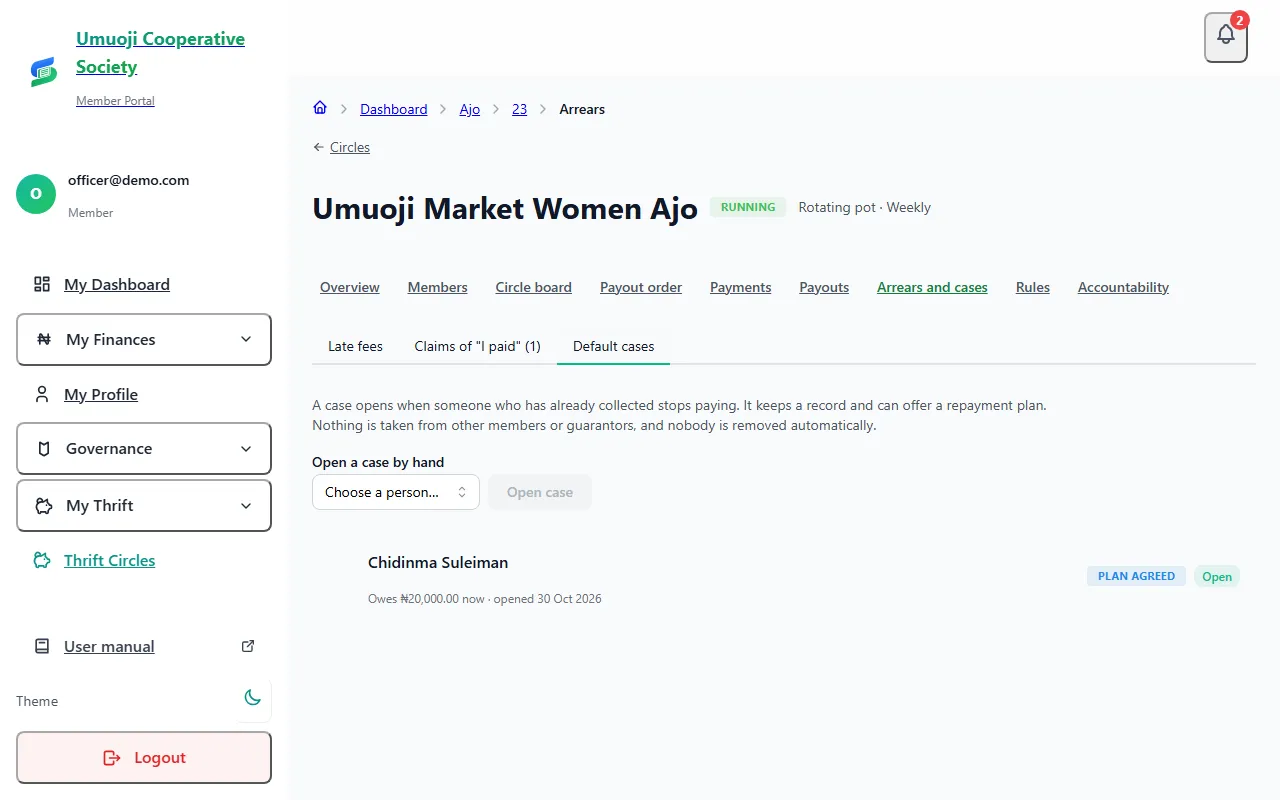
The case file
Each case keeps the file: what was owed when it opened (frozen, never edited), what is owed now, and a list of every step, with who did it and when. You can Add a note to the file, and the member can add their own response.
A repayment plan
A plan is a promise about timing. It splits what is owed into instalments on dates.
If the member misses a plan date, the miss is recorded once and the admins are told. A plan can be cancelled (Cancel the plan, with a reason).
Close a case
When the matter is over, select Close this case, choose the Outcome: Resolved or Closed, not resolved, write why, and enter your password.
If a case is opened about you (members)
When the officers open a default case about your unpaid rounds, you can see it. Open your circle (My Thrift, then the circle) and look for Cases about your unpaid rounds. It shows when it was opened, what was outstanding then and now, and any repayment plan.
Select Add your explanation to give your side. The officers read it on the case file. It does not change the amount owed, and you can add more than one note while the case is open. On the phone it is the same: open the circle and tap Add your explanation.
What happens next
A case never removes anyone and never takes money from anyone else. If someone is Closed, not resolved, the record stays and the circle decides what to do. It can see the member's trust score and the file, but neither blocks them by itself.
The words
SocietyLedger says "Behind by", Overdue and Missed. It never says "defaulter". A default case describes a situation, not a person.
Related
Payment statuses
What Paid on time, Reported, Overdue, Missed and the other words mean in a circle, who decides them, and what counts as paid.
Rules, grace and late fees
Set a circle's rules: grace days, late fee, guarantors, what happens if someone stops paying, and what members can see. And how to change them fairly.
Raising a query about a payment
If you paid but it does not show, tell your circle with I already paid this, attach your evidence, and see how an officer decides it.
Last updated 30 October 2026
Preparing, approving and recording a payout
How a payout is worked out, approved by a second person, paid from the circle's own account and recorded, and what to do if the transfer fails.
Savings cycles
How a collector-thrift circle runs in cycles: each saver's own amount, the choice to withdraw or continue, and starting the next cycle.