

Starting a circle
What must be true before a circle can start, what each refusal means (people waiting, start date passed, draw out of date), and how to fix it.
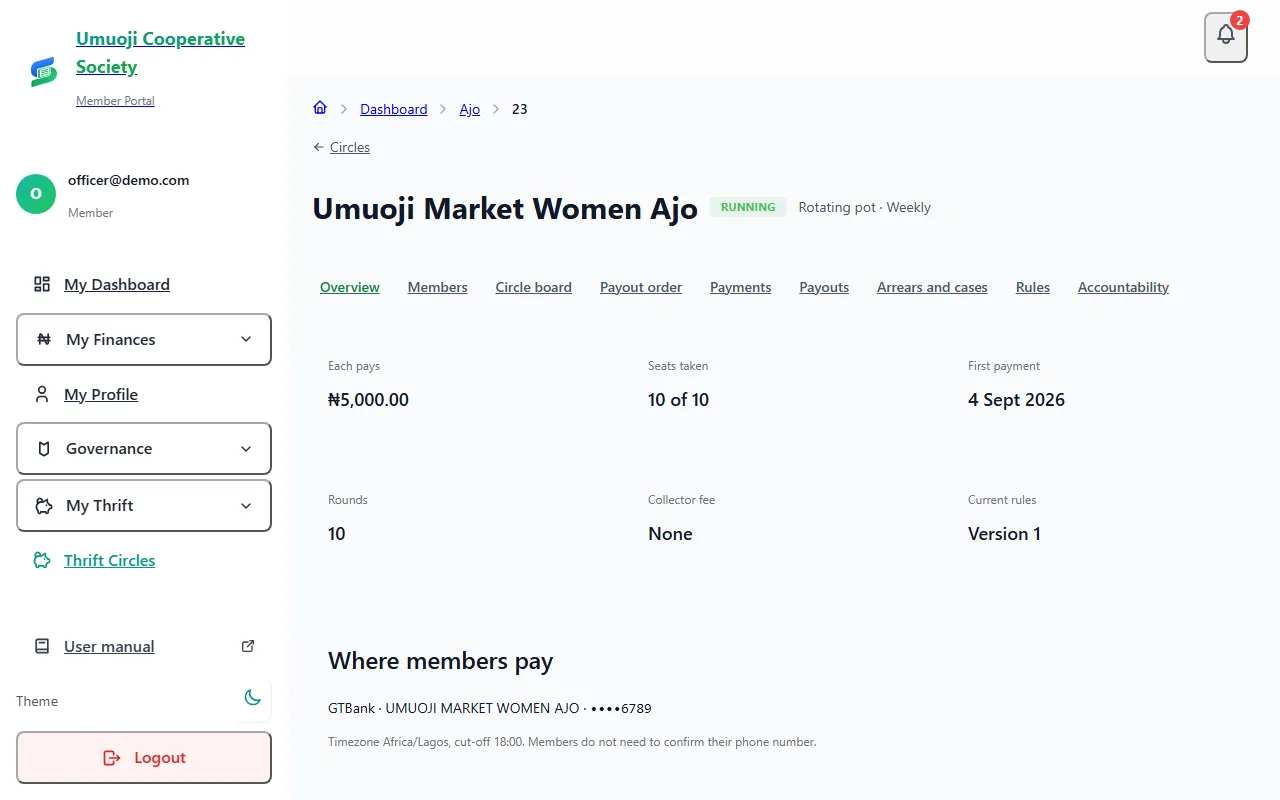
A circle is Open for joining until you start it. Starting fixes the circle, makes the payout order final (for a rotating pot) and creates everyone's payment schedule. After that, the amounts and dates cannot change. This page lists what must be true first, and what to do when SocietyLedger refuses.
Before you start
- You need the manage permission, and for a rotating pot the approve payouts permission if the order is set by the admin.
- The circle must be Open for joining, with a bank account added.
What must be true
- At least one person is approved, and the people you want are active. A person is Active only when they are approved and have met everything else the circle needs: accepted the rules, confirmed their phone number (if you ask for it), and had a guarantor recorded (if you require one). The overview says "9 of 10 people are approved". That means nine are fully in. Someone who is approved but still waiting is not counted.
- The start date has not passed. The First payment date is the day the circle starts. If it is in the past, Start is refused.
- For a rotating pot, the payout order is current. If anyone joined, left or was approved after the draw, the order is out of date.
Check the people
If you are an officer and also a member of the circle, a yellow banner at the top of the circle's pages shows your own pending steps and puts the buttons there.
Fix a start date that has passed
Fix a draw that is out of date
If the message says to run the draw again, open Payout order and select Draw again (or set the order again if the admin sets it). The old draw stays on the record. Approve everyone first, then draw once. See The payout order and the draw.
Start the circle
What happens next
The circle becomes Running. Every active person gets a payment schedule, the payout order is final, and members can report payments. If you need to change something, only the allowed changes remain: swaps before the first payout, and emergency changes with a reason.
The refusals are protection, not faults
Each refusal stops a circle starting with the wrong people, the wrong date or an order drawn for someone else. They all have a button next to them that takes you to the fix.
Related
Adding and approving people
Add people to a circle, see what each one is still waiting for, and approve them so they can start, including adding many at once from a list.
The payout order and the draw
How a rotating pot decides who is paid when: the recorded draw, shares, swapping places, and emergency changes with a reason.
Setting up your thrift group
From a new account to your first circle with its people in it, in about ten minutes.
Last updated 31 October 2026
Adding and approving people
Add people to a circle, see what each one is still waiting for, and approve them so they can start, including adding many at once from a list.
Guarantors
Record a guarantor's agreement for a member, in person or by sending them a link, and understand what a guarantor is and is not.