

Recording cash
Record cash from a saver the moment you take it, what the saver sees, and what to do if you record the wrong amount.
Recording cash is the collector's main job in the app. You do it once for each payment, as you take the money. It takes a few seconds, and it is what gives the saver proof that they paid.
Before you start
- You must be assigned to the saver. You can only record cash from your own people.
- You need internet. If your phone is offline, the button is replaced with a note that this needs internet, and nothing is queued.
- The circle must be running, and its Ajo add-on must be active. While the add-on is expired, nothing can be recorded.
Record a payment
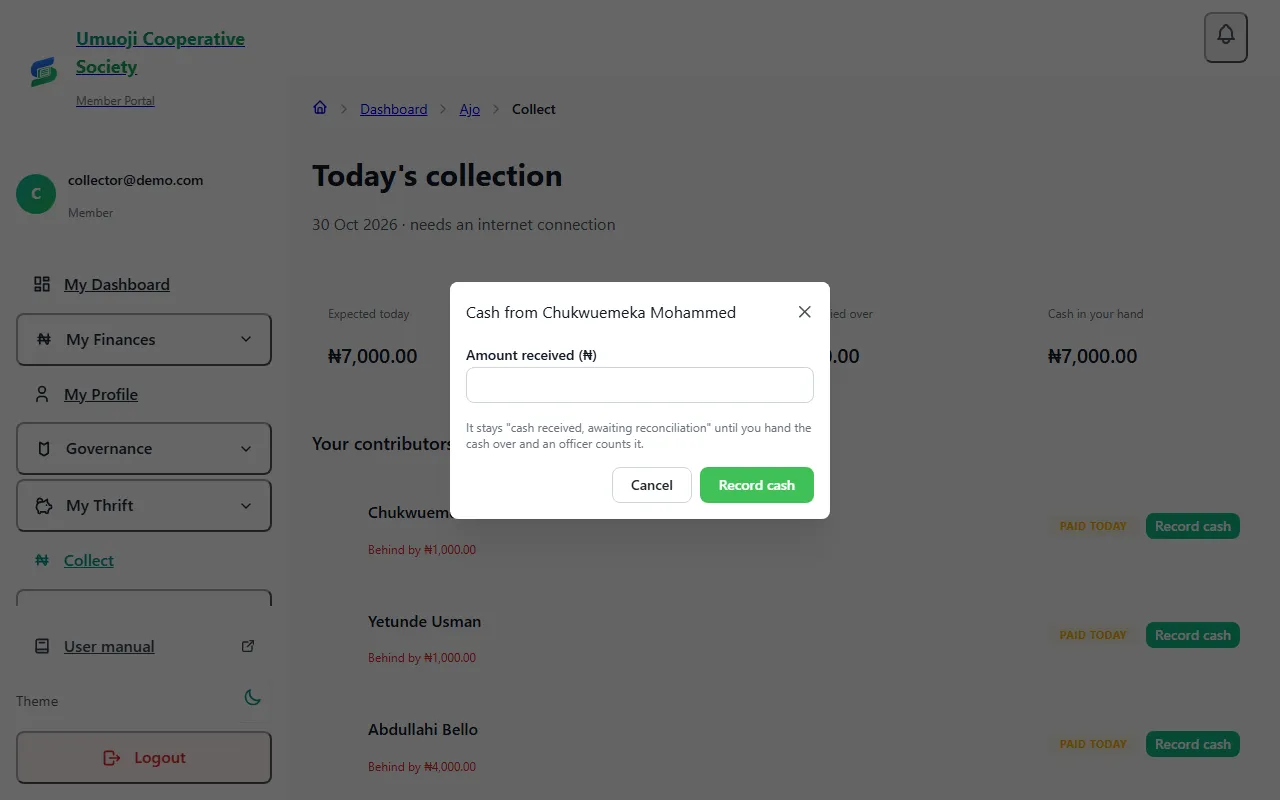
What happens next
- The payment is recorded as Cash received, awaiting confirmation. It is not counted towards the saver's savings yet.
- The saver sees it in their own savings the same day, and is told.
- A saver's payment is applied to their oldest unpaid day first.
- If you press the button twice by accident, or your connection drops and tries again, the payment is recorded once. Each attempt carries its own key, so a repeat can never count twice.
It is confirmed only when an officer counts your handover at the end of the day. See Cash reconciliation.
If you record the wrong amount
You cannot edit or delete a payment. Tell an officer straight away. They can reverse it with a reason, and you record it again correctly. The reversal and the reason stay in the history, so nobody can say it was hidden.
If you recorded too little or too much, say which when you tell them, so they can explain it in the note.
If you cannot record
| What you see | Why, and what to do |
|---|---|
| "This needs internet" | Your phone is offline. Connect, then record. Do not write it down and enter it later from memory if you can avoid it. |
| You cannot record for this saver | They are not assigned to you. Ask an officer to assign them. |
| You cannot record, the day has been handed over | You already handed over for this day. Ask an officer. |
| Handovers or recording are switched off | The circle's Ajo add-on has expired. The circle is read-only until it is renewed. |
Never record cash you have not been given
A payment recorded without cash behind it will be unticked when the office counts your handover, and flagged. Savers are told when you record, so they will see it.
Related
Your day as a collector
What a collector does each day in SocietyLedger: see who you collect from, record cash as you take it, and hand over at the end of the day.
Handing over at the end of the day
Record how much cash you handed to the office, what the difference means, and what happens if you are short.
Cash reconciliation
How cash a collector takes in becomes confirmed money: recorded, handed over, counted, then confirmed, and what happens when the count is short.
Last updated 30 October 2026
Your day as a collector
What a collector does each day in SocietyLedger: see who you collect from, record cash as you take it, and hand over at the end of the day.
Handing over at the end of the day
Record how much cash you handed to the office, what the difference means, and what happens if you are short.