

Preparing, approving and recording a payout
How a payout is worked out, approved by a second person, paid from the circle's own account and recorded, and what to do if the transfer fails.
A payout is the moment a circle pays a person. SocietyLedger never sends the money. It works out how much is owed, makes sure more than one person agrees, and keeps the record. Your circle pays from its own bank account, then records the bank's reference here.
There are three steps, and they are done by different people:
- Prepare. An officer works out the payout and checks that it can go ahead.
- Approve. An admin approves it. The person who prepared it cannot approve it, and nobody can approve a payout to themselves.
- Record as paid. After your circle has paid from its account, an officer records the bank's reference.
Only step 3 writes anything to the circle's ledger. Preparing and approving change nothing about the money.
Before you start
- You need the manage permission to prepare, approve payouts to approve, and reconcile to record. An admin usually has all three.
- Payouts are made in the drawn order. A round cannot be prepared until the one before it has been recorded as paid.
- The person being paid must have a payout account entered and verified, and must not have changed it in the last 72 hours. See Your payout account and verification.
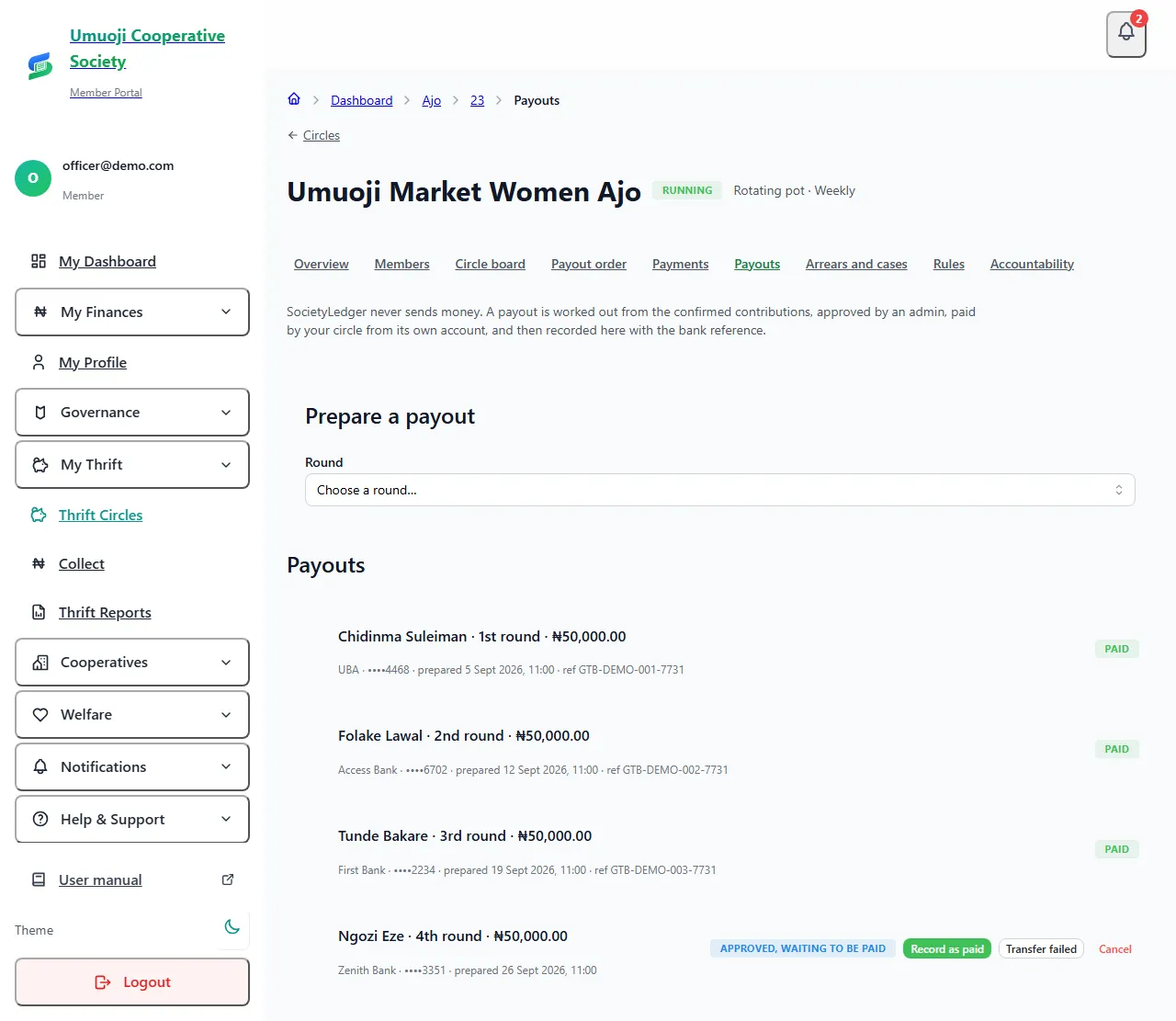
Prepare a payout
If the preview says it cannot go ahead, it says why: the previous round is unpaid, the person has no verified account, they changed their account recently, or an open payout already exists for this round.
If someone has not paid. If one person is short, the preview names them and shows how much. You can still pay out what has been confirmed. For example, in a pot of ten people paying ₦5,000.00, if one person has not paid, ₦45,000.00 can be paid out now with a note that ₦5,000.00 is short. If that money arrives later, it is paid as a second payout to the same person. Nothing is taken from anyone else.
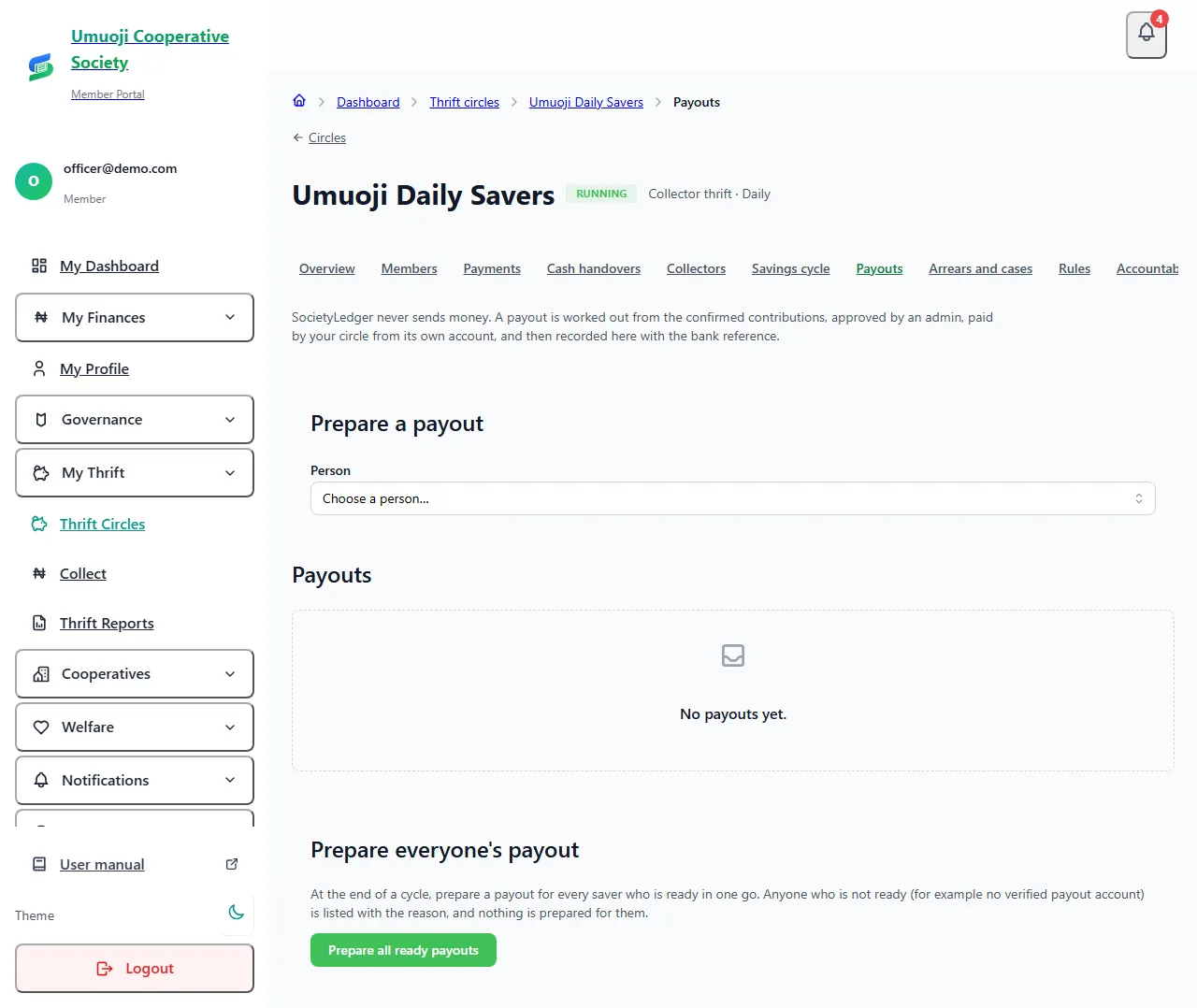
Collector thrift: prepare everyone's payout at once
At the end of a cycle in a collector-thrift circle, open Payouts and select Prepare all ready payouts (phone: the same button, under Prepare everyone's payout). SocietyLedger prepares a payout for every saver who is ready and tells you how many it prepared. Anyone who is not ready, for example because they have no verified payout account yet, is listed with the reason, and nothing is prepared for them. Each prepared payout is then approved and paid like any other, as described below.
Approve a payout
If your circle has only one admin, you can approve a payout you prepared yourself, but you must tick I am the only admin, and I checked this myself and write a note. It is flagged, and every officer is told.
Pay it, then record it
Pay the person from your circle's bank account, outside SocietyLedger. Then:
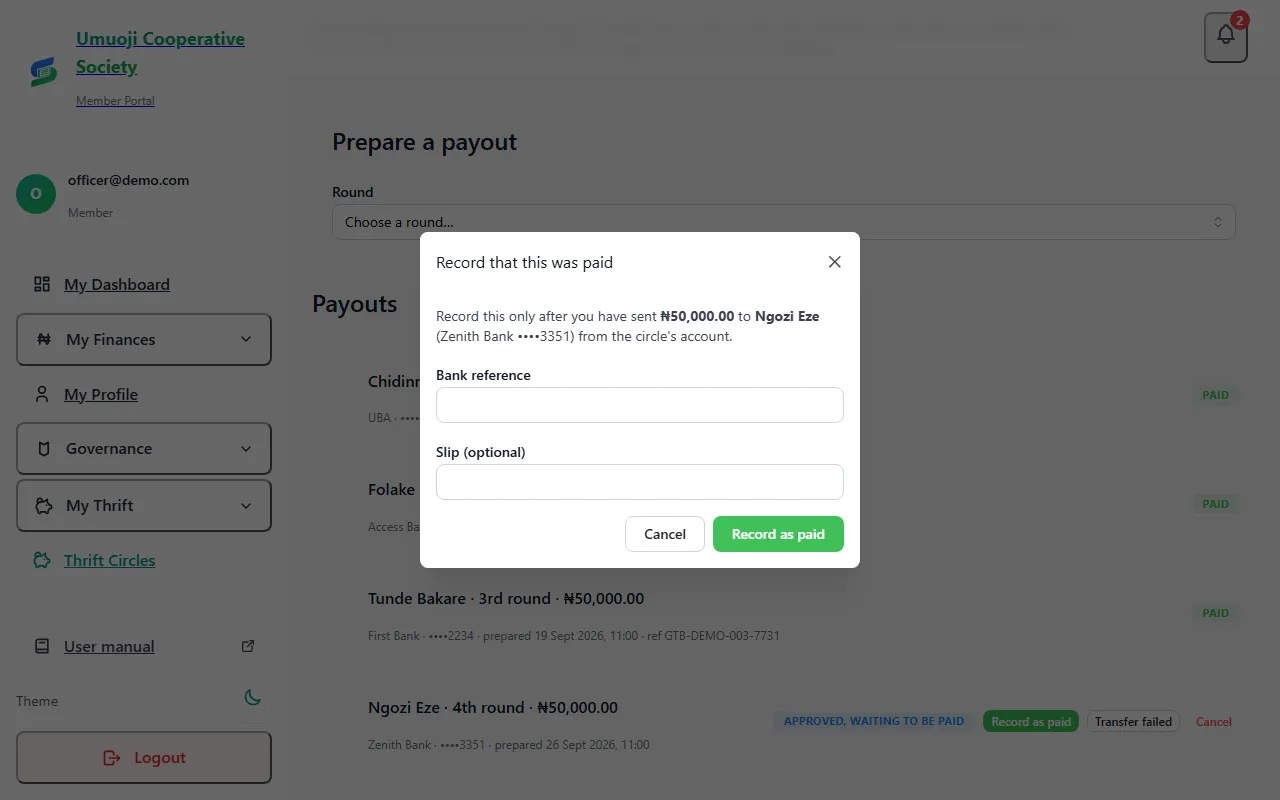
The person who is being paid cannot record their own payout. A bank reference that has already been used on another payout is refused, and a reference typed again is treated as the same payout, so it can never be counted twice.
If something goes wrong
- The transfer failed. Select Transfer failed. Nothing is written to the records, the round goes back to waiting, and the admins are told. Prepare it again once it is fixed.
- You do not want to go ahead. Select Cancel. The officer who prepared a payout can cancel it. An admin can cancel any payout that has not been recorded as paid.
- A paid payout was recorded by mistake, or the money came back. An admin can Reverse it: choose the payout, write the reason, enter your password, and select Reverse it. The ledger gets an entry that cancels it, with the reason and your name, and the payout shows as Reversed. This is the only way to undo a recorded payout.
If the payout account was changed after a payout was prepared, SocietyLedger cancels the prepared payout, because the money would go to a different account from the one that was checked.
What a member sees
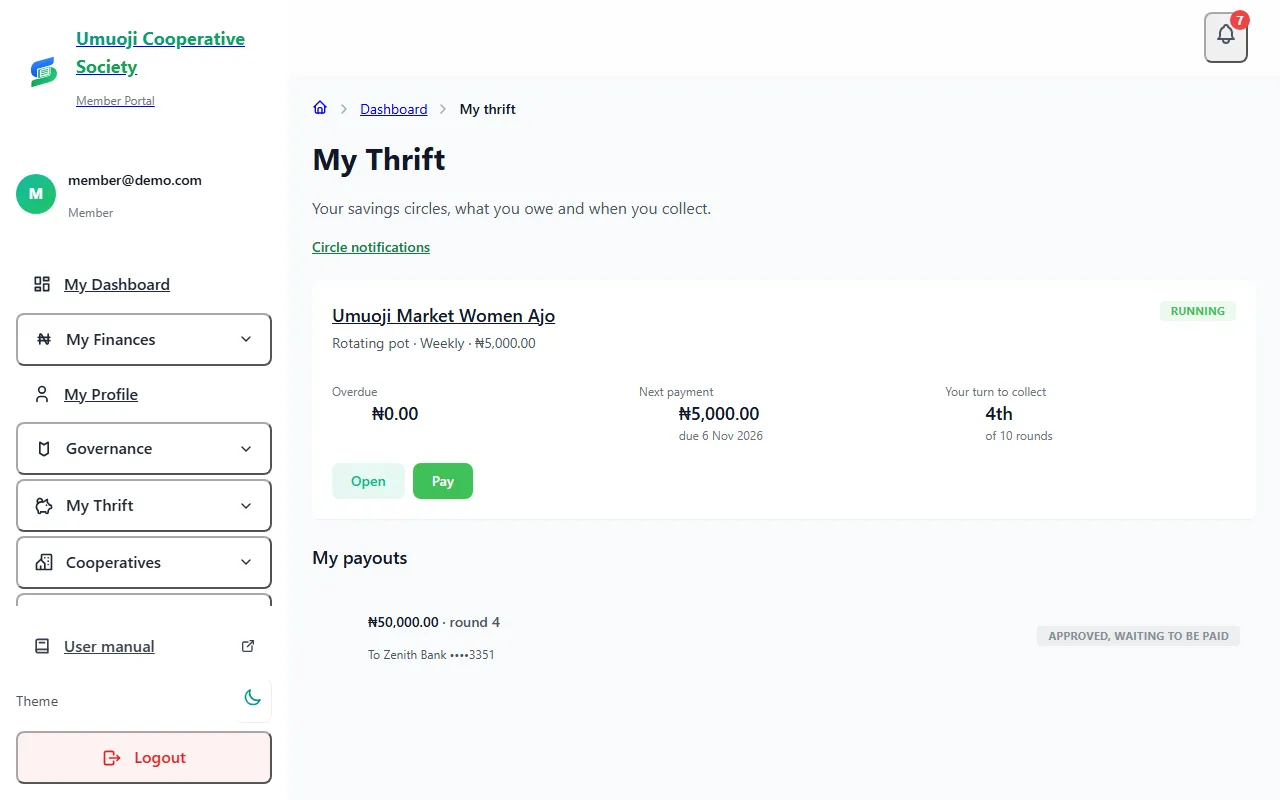
Each person can see their own payouts under My payouts on My Thrift (web and phone): the amount after any collector fee, where it goes (the account is shown masked), the status, the date it was paid and the bank reference.
What happens next
After a payout is recorded, the person is told, and it appears in the circle's activity. When every round has been paid and nothing is open, select Finish the circle to close it. A finished circle stays readable and can still be reported on.
Approving does not pay
Approving only records that two people agree the payout is right. No money moves until your circle pays the person from its own account. Do not tell the person it has been paid until you have recorded it.
Related
The payout order and the draw
How a rotating pot decides who is paid when: the recorded draw, shares, swapping places, and emergency changes with a reason.
Your payout account and verification
Add the bank account your circle pays you into, understand the SocietyLedger check, and what happens when you change the account.
Officer accountability
See who prepared, approved and recorded every payout, how long payments wait to be confirmed, cash by collector and day, and every exception with its reason.
Last updated 30 October 2026
Confirming payments
Check a reported transfer against the bank statement and confirm it, turn it down, or reverse a payment that was entered by mistake.
Late fees, default cases, repayment plans and disputes
What happens when someone falls behind: how late fees are worked out and waived, how cases and repayment plans run, and how to decide a claim.