

Your payout account and verification
Add the bank account your circle pays you into, understand the SocietyLedger check, and what happens when you change the account.
Your payout account is where your circle pays you when it is your turn to collect, or when your savings are paid back. It must be an account in your own name. SocietyLedger also checks you before anyone can be paid, so a payout cannot be sent to the wrong person.
Before you start
- Have your bank account details: the bank, the account number and the account name exactly as your bank has it.
- Have your phone number confirmed and your address filled in on your profile. They are part of the check.
Add or change your payout account
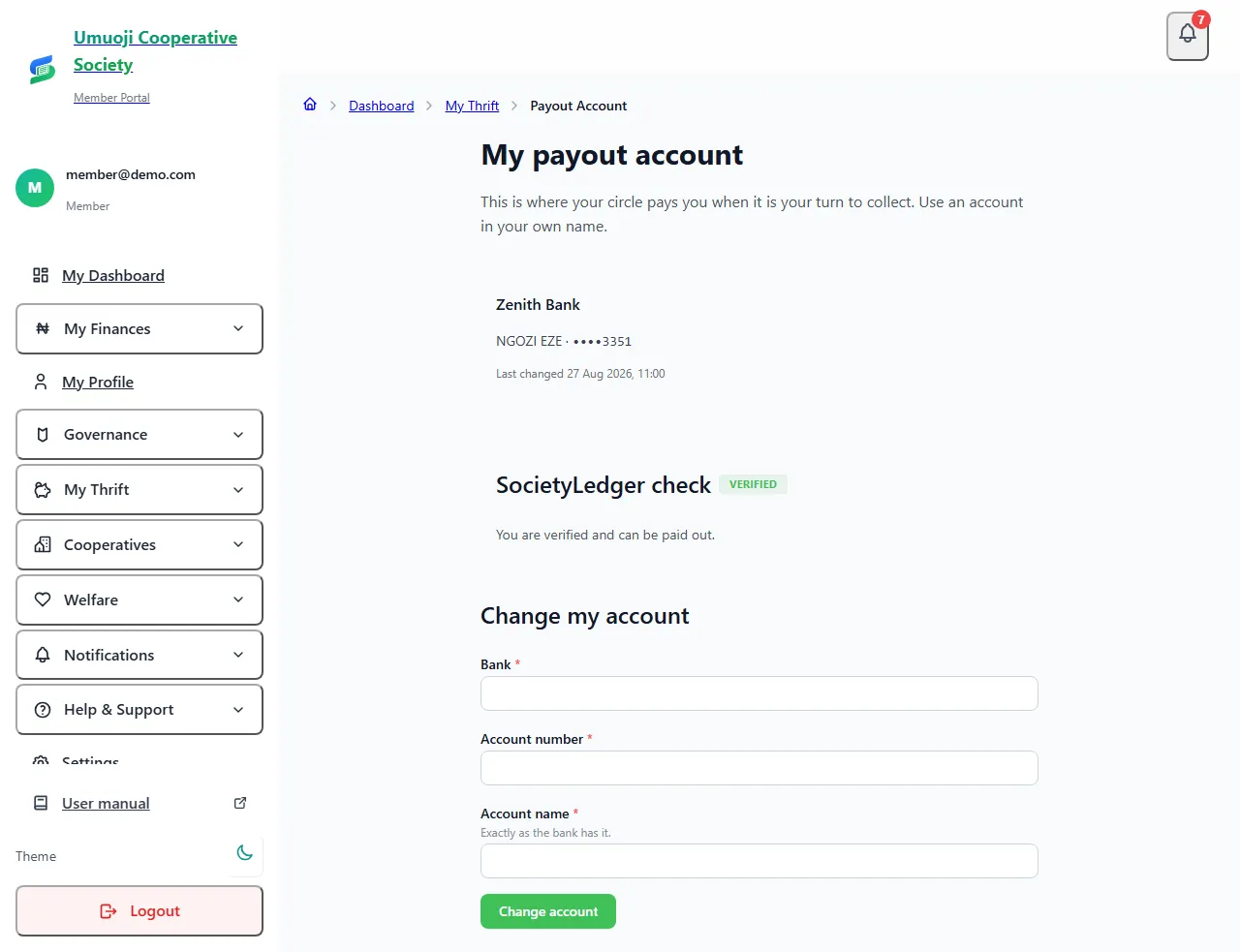
Only you and the circle's officers can see the full number. Everyone else sees only the last four digits (for example ••••3351).
The SocietyLedger check
Before a payout can be prepared for you, SocietyLedger checks three things:
- Your name matches the account name you entered.
- Your phone number is confirmed.
- Your address is filled in.
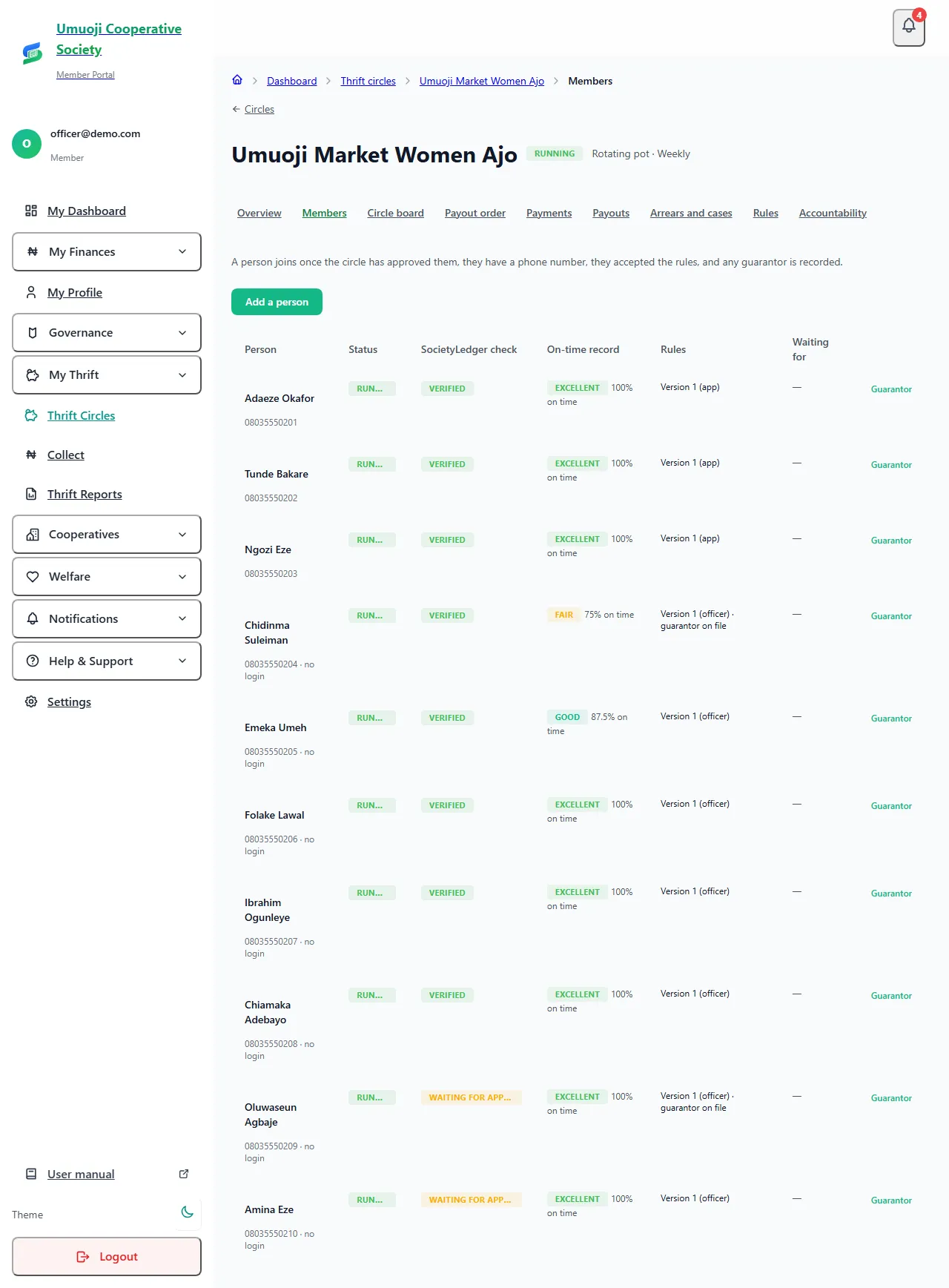
The check shows one of: Not started, Waiting for approval, Verified or Turned down. When it is Verified, the page says "You are verified and can be paid out." If it is Turned down, you are given the reason, so you can fix it and ask for it to be checked again.
The check is a safeguard, not a guarantee. It does not mean SocietyLedger has confirmed your identity with your bank.
If SocietyLedger turned your details down (officers)
On the circle's Members page, a person whose check shows Turned down has a Check again button (phone: the same, on their row). Fix the details with the person first, then select it to send them to SocietyLedger to be checked again. The members list also shows each person's on-time record next to their check.
Changing your account: the waiting period
If you change your payout account, a payout cannot be approved for 72 hours. This protects you: if someone got into your account and changed the details, they would have to wait three days, and you would be told. If a payout was already prepared for you, it is cancelled, and you are asked to check the new details.
Because of this, set your account up before it is nearly your turn.
What happens next
When it is your turn, an officer prepares the payout, an admin approves it, and the circle pays the money into your account and records the bank's reference. You are told at each stage. See Staying safe in a circle for the habits that protect your payout.
Use an account in your own name
A payout to an account that does not match your name will not pass the check. Never give an officer or a collector your account PIN, password or card details. They never need them.
Related
Staying safe in a circle
What SocietyLedger does and does not do with your money, and the habits that protect you, your savers and your circle.
Preparing, approving and recording a payout
How a payout is worked out, approved by a second person, paid from the circle's own account and recorded, and what to do if the transfer fails.
Joining a circle and accepting the rules
What to do when a circle adds you: read and accept the rules, confirm your phone if asked, and see what you are waiting for.
Last updated 30 October 2026
Paying and sending proof
Send your contribution to the circle's bank account, then tell SocietyLedger you have paid and attach your slip, and what happens until it is confirmed.
Your savings as a saver
If you save through a collector: see every naira you have given, where your cash is, what you will get back, and what to do at the end of the cycle.